NeuralWired’s Technology section covers the developments reshaping how the world builds, deploys, and regulates digital innovation. We report daily on the stories driving global conversation in artificial intelligence, big technology companies, startups and venture funding, cybersecurity, consumer gadgets and devices, and blockchain and cryptocurrency.
Our technology coverage goes beyond product announcements. When a major AI model launches, we explain what it can actually do and where its claims are overstated. When a startup raises a large funding round, we look at whether the business behind it can sustain that valuation. When a cybersecurity breach hits the news, we explain who is affected and what comes next, not just what happened. Each article is built from original research into primary sources, including company statements, technical documentation, regulatory filings, and verified data, and is written by our editorial team rather than generated automatically.
Readers come to this section for daily updates on the technology stories that matter globally, from shifts inside major technology companies to emerging tools changing how people work, communicate, and build. Whether you are a founder, an investor, an engineer, or simply someone trying to understand where technology is heading next, NeuralWired’s Technology coverage is built to keep you informed without wasting your time on hype.
Smart Contract Audit Checklist: Stop Enterprise Exploits Before They Cost MillionsEnterprise Blockchain Security
Bad Code Cost This Enterprise $48M. The Smart Contract Audit Checklist That Would Have Stopped It
By NeuralWired Research DeskJune 9, 202614 min read
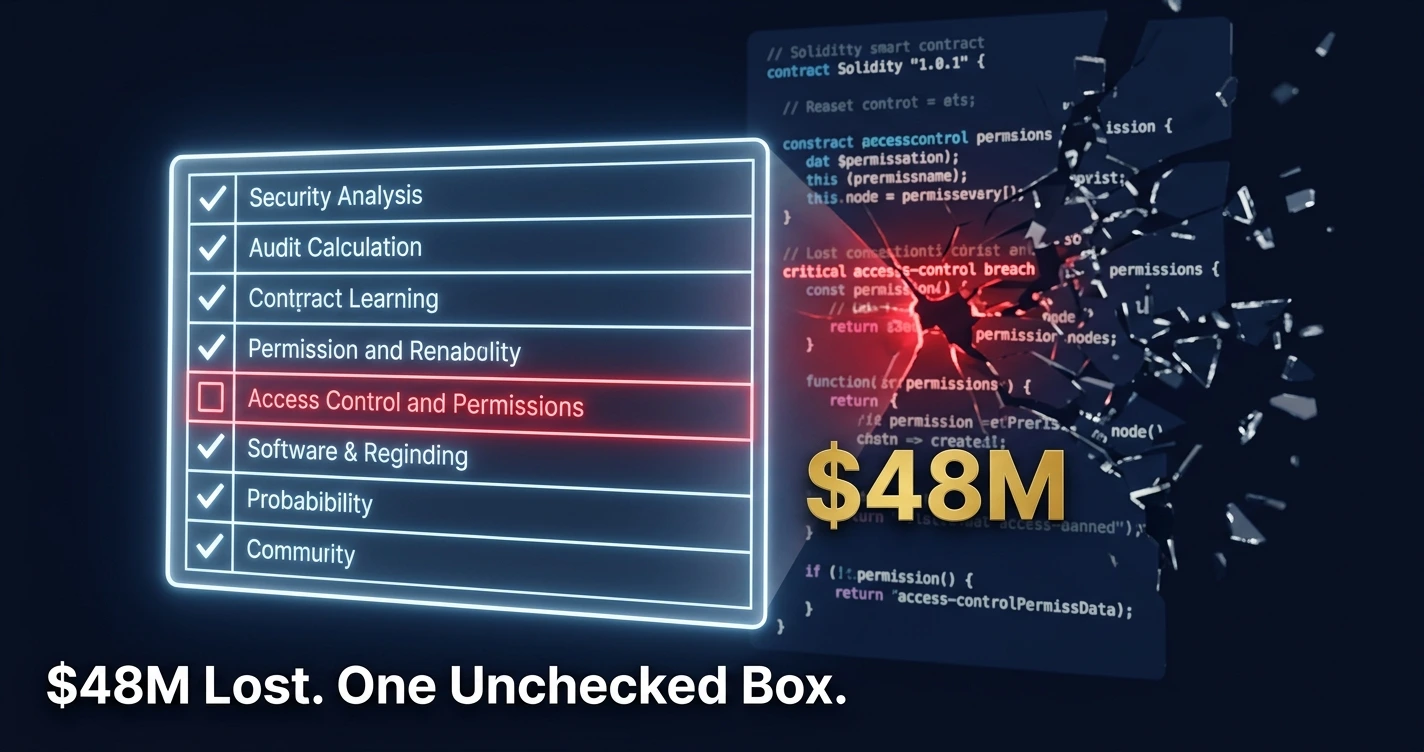
Five DeFi protocols. Forty-eight million dollars. One root cause: admin functions that anyone could call. Between January and June 2025, a cluster of access-control failures quietly drained more capital than most enterprise IT budgets will ever see. Not from zero-day exploits, not from state-sponsored hackers with novel attack chains. From missing role checks on privileged smart contract functions.
The smart contract audit checklist that would have caught every one of those failures fits on two printed pages. The tragedy is that most of those teams either skipped it, rushed it, or confused a clean audit badge with actual security.
This guide is for the CTO who just got a board mandate to deploy on a public chain. For the VP of Engineering who signed off on a six-figure audit and still isn’t sure what it covered. And for the Solidity developer who wants to know, specifically, which of their contract’s functions is the next attack target. You’ll find a complete, production-grade smart contract security audit checklist below, anchored in verified incident data, alongside the honest limits of what any checklist can actually guarantee.
The $4 Billion Crisis No Audit Badge Can Paper Over
The numbers from 2025 are not ambiguous. Hacken’s 2025 Annual Security Report documented $4.0 billion in total blockchain losses across the year. Of that figure, $512 million traced directly to smart contract code vulnerabilities. Another $2.12 billion came from access-control failures: broken admin permissions, missing role checks, flawed ownership transfer logic. That is 53 cents of every dollar lost in 2025 Web3 hacks coming from one audit category.
$4.0BTotal blockchain losses in 2025 (Hacken)
53%Caused by access-control failures alone
$482MLost in Q1 2026 across 44 incidents
70%Of 2025 exploits were checklist-catchable
The pace has not slowed. Hacken’s Q1 2026 Security and Compliance Report counted 44 incidents totaling $482 million in losses in the first three months of 2026 alone. With JPMorgan, BlackRock, and Visa now deploying on public blockchains (see NeuralWired’s enterprise blockchain ROI analysis), smart contract security has moved from a DeFi-native obsession to a Fortune 500 board-level risk item.
The audit market has followed the money. The smart contract audit industry reached $890 million in 2024 and is projected to hit $6.1 billion by 2033 at a 22.8% compound annual growth rate, according to Dataintelo’s September 2025 market research. Yet losses are growing faster in absolute terms: $2.9 billion was lost in DeFi protocol hacks in 2025, a 40% increase over 2024. More audits are being purchased. More capital is still being stolen. The gap between the audit industry’s growth and its protective effectiveness is the story underneath every one of these headlines.
The explanation is not that audits are worthless. It is that they are being purchased and marketed as complete solutions when they are one component in a security stack. The checklist is not the whole game. But the data is clear: roughly 70% of 2025 exploits involved vulnerabilities that a proper audit checklist would have caught before deployment. Skipping the checklist is not a calculated risk. It is an unforced error.
Anatomy of an $48M Admin-Role Failure
To understand what the checklist is protecting against, it helps to sit with a specific failure. The $48 million admin-role leakage cluster across five major DeFi projects in the first half of 2025 shares a structural fingerprint. A privileged function, typically something like setOwner(), updateFees(), or a minting function, was callable by any address. Not because the developers were careless in any general sense. Because no one had worked through a formal access-control verification step before deployment.
The GMX Protocol exploit in 2025 adds a second dimension. GMX lost $42 million not from a flaw in the core trading logic but from a failure at the boundary between its oracle system and its margin engine. Two components that each passed their own review. Together, they opened a gap that cost $42 million. This is the “system boundary failure” pattern: a single-component audit cannot catch it because the flaw only exists in the interaction between components.
Balancer V2’s November 2025 loss of approximately $121 million came from a different angle entirely: biased rounding in rate-augmented scaling factors, combined with access-control gaps that Olympix’s automated analysis identified after the fact. The rounding error is the kind of precision math vulnerability that experienced Solidity developers will recognize immediately when it is pointed out. The checklist item “rounding direction explicitly specified” takes thirty seconds to verify. The failure to verify it cost nine figures.
“Smart contract audits aren’t security; they’re a snapshot in time. The DeFi industry has built an entire security paradigm around third-party audits, treating them as definitive validation of protocol safety. This approach fundamentally misunderstands how modern exploits work and creates a false sense of security that has cost the industry hundreds of millions of dollars.”
Olympix Security Research Team, Why Smart Contract Audits Fail (2025)
The Cetus Protocol hack in May 2025 pushed these patterns to their logical extreme. An integer overflow in a liquidity math library, an open-source dependency the protocol imported and trusted, triggered the largest pure smart-contract exploit of 2025 at $220 to $223 million. The vulnerability was not in Cetus’s own code. It was in a library that no one had flagged for independent review. The checklist item: “external dependencies audited or from trusted sources.” Not checked. Not caught.
These are not exotic failures. They are the same categories, recurring at scale, because the industry keeps treating the checklist as optional work rather than the minimum viable security step before deploying capital-holding code.
The Enterprise Smart Contract Audit Checklist (35 Items)
Cost Perspective
Enterprise multi-chain smart contract audits cost $150,000 and above in 2025, based on Sherlock Audit’s 2026 pricing reference. A $150,000 audit is the cost-benefit argument that writes itself against a $48 million exploit. The checklist below costs nothing but time.
Category 1: Access Control and Permissions
This is the single most important category. Access-control failures caused 53% of all Web3 losses in 2025 ($2.12 billion). Treat every item here as non-negotiable.
All privileged functions (mint, pause, upgrade, initialize) are protected by role-based access control
OpenZeppelin AccessControl module is implemented correctly (fewer than 50% of developers implement it fully, per coinlaw.io data)
Owner and admin transfer functions have two-step confirmation before the transfer takes effect
Time locks of a minimum 48 hours are applied to all critical admin functions
Multi-signature (minimum 2-of-N) is required for any critical operation
initialize() functions are protected against re-initialization by an unauthorized address
Emergency pause functionality is itself access-controlled
Category 2: Reentrancy Protection
Reentrancy attacks caused $35.7 million in 2024 losses per OWASP data. The Penpie Protocol lost $27 million to a reentrancy attack in 2024 in a pattern that the items below would have directly prevented.
Checks-Effects-Interactions pattern is enforced throughout all external-call functions
ReentrancyGuard is applied to every function that makes an external call
No state changes occur after external calls in any function
Internal balance tracking is updated before any transfer executes
Category 3: Arithmetic and Math Safety
Balancer V2’s $121 million loss in November 2025 came from a rounding error. Cetus Protocol’s $223 million loss came from an integer overflow in a library. Math safety is not an edge case.
Solidity 0.8+ is used (built-in overflow protection), or SafeMath library is imported for any older version
All unchecked blocks are documented with explicit rationale and independently verified as safe
Rounding direction (round down vs. round up) is explicitly specified for every financial calculation
Economic invariants are defined and tested (for example: total supply must always equal sum of all balances)
Maximum value edge cases (max uint256 and zero-value inputs) are tested for every critical function
Category 4: Oracle and External Data
Oracle manipulation attacks surged 31% year-over-year in 2025. The GMX exploit traces directly to oracle-boundary failures. If your contract reads any external price feed, this category is critical path.
No single oracle dependency exists; a secondary verification source is required
Time-Weighted Average Price (TWAP) is used for price-sensitive operations, never spot price alone
Freshness checks on oracle data are implemented to protect against stale prices
Flash loan protection is in place on all price-sensitive operations
Oracle failure fallback behavior is defined and tested
Category 5: Upgrade and Proxy Logic
Yearn Finance lost $9.3 million in December 2025 from legacy contracts left on-chain after protocol upgrades. Upgrade management is now a standalone audit category, not a footnote.
Proxy pattern (if used) is fully access-controlled and upgrade authorization is explicit
Storage slot conflicts are checked and cleared in the upgrade path
Old and legacy contracts are either formally deprecated or specifically secured before any upgrade
Upgrade governance is documented: who can trigger it, what approvals are required, what the delay is
Emergency stop and circuit breaker logic is tested end-to-end, not just unit-tested in isolation
Category 6: Code Quality and Test Coverage
Static analysis tools detect roughly 92% of known vulnerability patterns in test environments. They miss edge-case logic issues. Human review is the mandatory second pass.
Test coverage exceeds 90% on all critical execution paths
Fuzz testing (Echidna or Foundry) has been run against all mathematical functions
Static analysis with Slither and MythX has been completed and all findings reviewed
No unresolved High or Critical findings exist from any automated tool before the audit begins
External dependencies, including libraries and imported contracts, have been audited or sourced from trusted providers such as OpenZeppelin
tx.origin is not used for authorization in any function
Category 7: Documentation and Audit Scoping
Auditors produce better results with better inputs. This category is not bureaucratic overhead. It is the difference between an auditor who finds the architecture flaw and one who documents the surface-level issues.
A complete architecture diagram has been provided to the audit team
All external dependencies are listed with explicit security notes on each
Trust assumptions are explicitly stated: who is trusted, who is untrusted, and under what conditions
A threat model document exists and has been shared with auditors before the engagement begins
Code is frozen before the audit commences; no changes are permitted during the audit period
Audit Coverage Matrix: Vulnerability to Checklist to Exploit
This original framework maps the dominant vulnerability classes from OWASP’s 2025 data to the specific checklist category that covers them, with a named real-world exploit as the reference case. Use it to prioritize which checklist category your team spends the most time on based on your contract’s architecture.
Vulnerability Class
2024/2025 Loss
Checklist Category
Named Exploit
Access Control Failure
$953.2M (2024); $2.12B (2025)
Category 1: Access Control
Admin role cluster, H1 2025 ($48M)
Logic Errors
$63.8M (2024)
Category 7: Documentation / Threat Model
Euler Finance, 2023 ($197M)
Reentrancy Attacks
$35.7M (2024)
Category 2: Reentrancy Protection
Penpie, 2024 ($27M)
Integer Overflow / Underflow
Library-sourced
Category 3: Arithmetic Safety
Cetus Protocol, May 2025 ($223M)
Oracle Manipulation
$8.8M (2024); +31% YoY 2025
Category 4: Oracle Security
GMX, 2025 ($42M)
Precision / Rounding Error
Included in logic errors
Category 3: Arithmetic Safety
Balancer V2, Nov 2025 ($121M)
Upgrade / Legacy Contract
Post-upgrade surface
Category 5: Upgrade Logic
Yearn Finance, Dec 2025 ($9.3M)
Flash Loan Attacks
$33.8M (2024)
Category 4: Oracle Security
Sonne Finance, May 2024 ($20M)
Off-Chain / DVN Config
Not covered by standard checklist
Beyond on-chain scope
Kelp DAO, Apr 2026 ($292M)
The final row in that table carries a warning worth pausing on. The Kelp DAO breach in April 2026 was not a smart contract hack in any conventional sense. NeuralWired’s coverage of the $292M DVN flaw documented what Chainalysis described as an attack on the off-chain verification layer on which cross-chain protocols depend. No reentrancy bug. No missing access check. No oracle manipulation. The attack bypassed on-chain code entirely.
“This was not a smart contract hack. There was no reentrancy bug, no missing access check, no price oracle sleight-of-hand. The KelpDAO incident is something arguably more dangerous: an attack on the off-chain verification layer on which many cross-chain protocols depend.”
Chainalysis Investigation Team, April 2026
Any enterprise deploying a multi-chain architecture must understand that the 35-item checklist above covers on-chain code. Bridge and DVN configurations, RPC endpoint security, and oracle node infrastructure require a separate review scope entirely.
Tools, Costs, and What Automation Still Gets Wrong
The Audit Cost Reality in 2026
Per Sherlock Audit’s 2026 pricing reference, a simple ERC-20 token audit runs $5,000 to $20,000. Mid-complexity DeFi protocols sit at $40,000 to $100,000. Enterprise multi-chain systems with governance modules, custom oracles, and cross-chain bridges cost $150,000 and above. Re-audit rounds after developers remediate findings add $5,000 to $20,000 per pass.
The math is not complicated. A $150,000 audit is 0.3% of a $48 million exploit. For enterprise systems managing nine-figure TVL, it is not a cost center. It is risk management with a clearer ROI than most insurance products your CFO signs off on.
Automated Tools: What They Catch and What They Miss
Static analysis tools including Slither and MythX detect roughly 92% of known vulnerability patterns in test environments, according to coinlaw.io’s October 2025 security statistics report. Echidna and Foundry handle fuzz testing. Manticore covers symbolic execution. Certora Prover handles formal verification for the highest-stakes contracts.
The gap in that 92% figure is where most of the expensive exploits live. Logic errors, economic invariant violations, and system boundary failures are the categories that pattern-matching cannot reliably catch. Balancer V2’s rounding error did not match a known exploit pattern. Cetus Protocol’s integer overflow lived in a library, not in code the static analyzer was specifically configured to check.
“Relying only on tools gives a false sense of security and leaves complex risks hidden. Our approach always combines automated scanning as a first pass with expert manual review as the main work.”
Nadcab Audit Team (8+ years, 500+ audits across major chains), nadcab.com
AI-assisted audit tools are entering the market with strong pitch decks and legitimate capability improvements. The honest data point from April 2026 research (nadcab.com) is that AI audit tools currently run false positive rates of 20 to 40 percent without expert filtering. Every false positive is time a senior auditor spends ruling out a non-issue instead of finding a real one. Automation accelerates the process. It does not replace the judgment.
On AI-Generated Solidity Code
With developers using large language models to generate Solidity at scale in 2026, a new risk surface has opened that the industry has not fully priced in. LLM-generated contract code can pass syntax checks and even basic static analysis while containing structural logic errors that no pattern-based tool will flag. If your team is deploying LLM-generated contracts, treat the entire codebase as requiring Category 6 and Category 7 checklist attention, even if the individual functions look clean in isolation.
Why Audits Fail (and the Honest Limitations of Any Checklist)
Euler Finance lost $197 million in March 2023. Wormhole lost $320 million. Nomad Bridge lost $190 million. All three had comprehensive audits from recognized firms. This is not a footnote. It is the central challenge of smart contract security, and every enterprise deploying on-chain needs to understand it before purchasing an audit as if it were a compliance certificate.
The Olympix analysis from 2025 identifies the structural failure clearly. Audits are point-in-time checks. A protocol that is clean on audit day can become vulnerable after a dependency upgrade, an upgrade to the protocol itself, a shift in market conditions that creates a new economic attack surface, or simply the passage of time as new exploit patterns are documented and attackers work backward through recently audited codebases. The clean audit badge expires the moment the codebase changes.
Academic research published in 2025 (arXiv:2505.15242, the “Adaptive Plan-Execute Framework for Smart Contract Security Auditing” paper) is direct about the limits of current methodology: manual code review is “inefficient and prone to overlook subtle security vulnerabilities,” while automated tools “primarily rely on pattern matching, which cannot accurately detect complex security issues.” The paper notes that types of vulnerabilities detectable by tools are “usually relatively limited,” requiring multiple tools each covering different aspects. Until the end of 2024, total blockchain hack losses exceeded $35.32 billion from more than 1,800 incidents. The checklist is necessary but not sufficient.
Our read: the audit industry is being asked to perform an impossible certification function for a technology that moves faster than any certification process can track. The honest positioning of a smart contract audit is that it significantly reduces a specific category of known risk at a specific moment in time. Combined with post-deployment monitoring, an active bug bounty program, and mandatory re-audits after upgrades, it becomes part of a defensible security posture. Sold as a standalone guarantee, it is marketing.
The Post-Deployment Checklist Most Teams Skip
The Yearn Finance exploits in December 2025 are the clearest illustration of why deployment is not the finish line. The first exploit on December 1st cost $9 million from an economic invariant violation in legacy infrastructure. The second exploit on December 17th cost $300,000 from a legacy contract left live on-chain after an upgrade. Both were post-deployment failures. Both were preventable by checklist.
Post-Deployment Security Checklist (5 Items)
Real-time on-chain monitoring is active via Forta, OpenZeppelin Defender, or an equivalent system before the contract goes live with user funds
A bug bounty program is live on Immunefi or an equivalent platform, with meaningful reward tiers that attract serious researchers (median payouts on Immunefi approach $2,000; average rewards reach approximately $52,800)
An incident response plan exists in writing, has been tested with a tabletop exercise, and is not stored exclusively in the heads of two engineers
Re-audit is scheduled and budgeted before any significant upgrade is deployed; no upgrade ships without the re-audit cycle completing
Legacy contracts are formally deprecated and secured immediately after any protocol upgrade, with on-chain evidence of decommissioning
Real-time monitoring prevented over $100 million in potential losses in 2023 alone, per coinlaw.io data, and its importance has only grown since. The monitoring layer is the difference between an attack that drains the contract and one that gets stopped at the circuit breaker after the first anomalous transaction.
With JPMorgan’s move to public Ethereum and the broader enterprise shift from private chain deployments to public infrastructure, the stakes of post-deployment gaps have increased. Enterprise contracts managing institutional capital on a public chain face a different threat model than a DeFi protocol with a $2 million TVL. The monitoring and bug bounty budget needs to scale accordingly.
FAQ: Smart Contract Security Audit
What is a smart contract audit checklist?
A smart contract audit checklist is a structured set of security checks applied before deploying blockchain code. It covers access control verification, reentrancy protection, input validation, oracle security, integer overflow prevention, upgrade logic, and gas optimization. Following a formal checklist before deployment prevents the majority of exploits: roughly 70% of 2025 smart contract losses involved checklist-catchable vulnerabilities, according to Nadcab’s February 2026 audit report.
How much does a smart contract audit cost?
Smart contract audit costs range from $5,000 for a simple ERC-20 token to over $150,000 for enterprise multi-chain systems. Mid-complexity DeFi protocols typically cost $40,000 to $100,000. Re-audit rounds after remediation add $5,000 to $20,000 per pass. Sherlock Audit’s 2026 pricing reference and coinlaw.io’s October 2025 statistics report are the primary data sources for current market rates.
What are the most common smart contract vulnerabilities?
The most common and costly smart contract vulnerabilities in 2025 were access control failures (53% of all Web3 losses), reentrancy attacks, integer overflow and underflow, oracle manipulation (up 31% year-over-year), flash loan attacks, and business logic errors. Access control failures alone caused $2.12 billion in 2025 losses, making them the top audit priority by a significant margin, per Hacken’s 2025 Annual Security Report.
Can audited smart contracts still get hacked?
Yes, and it happens regularly. Euler Finance lost $197 million, Wormhole $320 million, and Nomad $190 million, all after comprehensive audits. Audits are point-in-time checks, not continuous protection. Post-deployment monitoring, bug bounty programs, and mandatory re-audits after upgrades are required because protocols change and new attack vectors emerge after the original audit date, as Olympix documented in 2025.
What should a smart contract security audit include?
A thorough smart contract security audit should include manual code review by senior auditors, automated static analysis using Slither and MythX, access control verification, reentrancy checks, oracle dependency analysis, integer arithmetic validation, upgrade and proxy logic review, test coverage assessment, economic invariant analysis, and a final re-verification after developers fix reported issues. The OpenZeppelin Audit Readiness Guide and Quantstamp’s framework are the standard references.
How long does a smart contract audit take?
Smart contract audits typically take one to six weeks depending on complexity. A simple token contract takes a few days. A large DeFi protocol with multiple interacting contracts, governance modules, and custom logic takes four to six weeks. Rushing an audit creates blind spots that cost more than the time saved. Always budget for a remediation review cycle: developers fix findings, then auditors verify the fixes are correct.
What is an access control vulnerability in smart contracts?
An access control vulnerability in smart contracts occurs when privileged functions such as minting, pausing, or upgrading lack proper restrictions on who can call them. In one documented incident, a protocol lost $120 million because an initialize() function was unprotected, allowing an attacker to appoint themselves as the owner. Access control failures were the single largest cause of smart contract losses in both 2024 and 2025, per OWASP and Hacken data.
What tools are used for smart contract auditing?
Common smart contract audit tools include Slither and MythX for automated static analysis (detecting approximately 92% of known vulnerability patterns), Echidna for fuzz testing, Foundry for invariant testing, Manticore for symbolic execution, and Certora Prover for formal verification. No single tool catches every class of vulnerability. Professional audits combine multiple automated tools with senior manual code review, as documented in OpenZeppelin’s audit readiness documentation.
What Comes Next
The smart contract audit checklist is not a guarantee. Every sophisticated practitioner in this space will tell you the same thing. But “not a guarantee” and “not worth doing” are not the same statement, and the data from 2025 and early 2026 makes the ROI case without any editorial help: 70% of last year’s exploits were preventable by a structured pre-deployment review that costs nothing but time.
The industry has three intersecting problems it will be navigating through the rest of 2026 and into 2027. First, the off-chain attack surface is becoming the primary frontier. Kelp DAO’s $292 million DVN exploit in April 2026 was not catchable by any on-chain audit checklist. Enterprise teams deploying cross-chain need a second framework covering bridge configuration, DVN security, oracle node infrastructure, and RPC endpoint hardening. No standardized equivalent of the OWASP Smart Contract Top 10 exists for this layer yet. It will.
Second, the volume of LLM-generated Solidity code being deployed in 2026 is outpacing audit capacity at a rate the industry has not yet quantified. The audit market’s 22.8% CAGR sounds like growth. Against the volume of unaudited AI-generated contracts going live every week, it may be running to stand still.
Third, U.S. legislative pressure from the GENIUS Act and companion digital asset legislation is creating formal compliance expectations for smart contract security in financial applications. For enterprise teams at JPMorgan, BlackRock, and their institutional peers, the audit checklist is moving from best practice to regulatory requirement.
Three things to watch and act on now: start your pre-audit readiness review using the checklist above before engaging any paid auditor; budget for post-deployment monitoring alongside the audit itself, not as a future-phase consideration; and specifically review Category 1 of the checklist with your team today, because 53% of last year’s losses came from exactly the items it covers.
Stay Ahead of the Next Exploit
The Neural Loop covers enterprise blockchain security, AI regulation, and tech infrastructure every week. No noise, no catch-up reading required.
Subscribe to The Neural Loop
Private vs. Public Blockchain: Enterprise Switch (2026)Enterprise Blockchain · Analysis
Private Blockchain Promised CTOs Everything. Here’s Why 67% Switched to Public, and What the Other 33% Know That You Don’t
By NeuralWired Research Desk | June 8, 2026 | Enterprise Blockchain | 10 min read
Quick Answer
Private vs. public blockchain for enterprise: the core difference is control vs. connectivity. Private blockchains offer governance control; public blockchains offer open liquidity and network effects. As of 2026, most enterprises above $1B in revenue are adopting hybrid architectures rather than making a binary switch.
In November 2022, A.P. Moller-Maersk and IBM pulled the plug on TradeLens, the most expensive, most hyped private blockchain platform in enterprise history. Five years. Over 300 members. More than half of all global ocean container cargo flowing through it. Still not enough. The official reason: “full global industry collaboration has not been achieved.” The real reason: private blockchain carries a structural flaw that no amount of engineering can fix.
That announcement didn’t just close a platform. It effectively closed an era. Within 24 months, four more major private blockchain consortia collapsed. And the enterprises that once built their digital transformation strategies around permissioned blockchains started asking a question they hadn’t wanted to ask: what if we bet on the wrong architecture?
Fast-forward to December 2025. JPMorgan, whose CEO Jamie Dimon once called most crypto “garbage”, committed $100 million to launch a tokenized money market fund on the public Ethereum blockchain. BlackRock’s BUIDL fund, also on public Ethereum, surpassed $2 billion in assets. The tokenized real-world asset market crossed $32 billion in Q1 2026, up more than 400% since the start of 2025.
The debate between private vs. public blockchain for enterprise is no longer theoretical. The money has spoken. But the full picture is more nuanced than the headlines suggest, and if you’re a CTO making infrastructure decisions right now, that nuance is worth every minute of your attention.
$32B+
Tokenized RWA market value, Q1 2026 (up 400%+ since Jan 2025)
67%
Institutions prioritizing asset tokenization over the next 3-5 years (Coinbase-EY 2026)
$2B+
BlackRock BUIDL fund AUM on Ethereum since March 2024 launch
500+
Active Hyperledger Fabric / Corda production deployments globally (IDC, 2024)
The Promise That Sold a Generation of CTOs
From 2015 through 2022, “blockchain, not Bitcoin” was the enterprise technology mantra. The logic was clean and compelling. Take distributed ledger technology, immutable records, cryptographic verification, decentralized trust, and strip out the parts that make compliance officers nervous. No public visibility. No cryptocurrency exposure. No regulatory ambiguity. Just the efficiency gains.
Private or permissioned blockchains fit that brief perfectly. On a private blockchain, only authorized participants can read or write transactions. A central authority, typically a consortium of participating organizations, controls governance. Companies like IBM and R3 built entire product lines around this model. Hyperledger Fabric and R3 Corda became the enterprise-grade standards. Banks, shipping companies, and trade finance networks lined up to build on them.
The pitch to CTOs was almost irresistible: get the benefits of an immutable shared ledger, maintain full control over who sees what, satisfy compliance teams, and avoid the volatility of public cryptocurrency networks. Between 2017 and 2020, billions flowed into private blockchain consortium projects. The enterprise blockchain market was valued at $9.64 billion in 2023 and projected by MarketsandMarkets to reach $145.9 billion by 2030.
The collapse wasn’t gradual. It was a concentrated demolition of the private blockchain consortium model between 2022 and 2024. Five platforms, all launched with serious institutional backing, all shut down or abandoned blockchain within five years.
Platform
Launch Year
Technology
Key Backers
Fate
We.trade
2017
Hyperledger Fabric
Deutsche Bank, HSBC, Santander, UBS
Ceased operations, June 2022
TradeLens
2018
Hyperledger Fabric
IBM, Maersk
Shut down Q1 2023
Marco Polo
2019
R3 Corda
Commerzbank, BNY Mellon, SMBC
Entered administration, Nov 2022
Contour
2020
R3 Corda
ANZ, BNP Paribas, HSBC, Standard Chartered
Ceased operations, Oct 2023
Komgo
2018
Quorum
Citi, ING
Abandoned blockchain entirely
Look at those names. The best banks in the world. The best shipping company in the world. Years of development. Combined, they represent hundreds of millions in investment and some of the best enterprise engineering talent available. None of it was enough.
Rotem Hershko, Head of Business Platforms at Maersk and the executive who led TradeLens, delivered the clearest post-mortem on record:
“While we successfully developed a viable platform, the need for full global industry collaboration has not been achieved. As a result, TradeLens has not reached the level of commercial viability necessary to continue work.”
Rotem Hershko, A.P. Moller-Maersk — Official Announcement, November 30, 2022
Avivah Litan, Vice President and Distinguished Analyst at Gartner Research, called TradeLens’s failure the end of an era:
“[TradeLens’s failure] seems like the last chapter in the era of costly enterprise blockchain projects. They only succeed when all parties are on the same win-win page, and there is clear demonstrable ROI when the application is implemented.”
Avivah Litan, Gartner Research — Computerworld, December 2022
Martha Bennett, Principal Analyst at Forrester Research, pointed to a structural truth that should have been obvious from the start: a private blockchain only delivers value when everyone joins it. And getting direct competitors to share infrastructure on terms that benefit everyone equally is, in practice, nearly impossible.
A peer-reviewed analysis published in Frontiers in Blockchain (February 2025) confirmed what industry observers had suspected: TradeLens didn’t fail because the technology was broken. It failed because of governance imbalances and misaligned economic incentives among participants. The blockchain worked. The business model didn’t.
Key Insight
The collapse of TradeLens in 2023 effectively closed the era of bilateral private blockchain consortia. The failure wasn’t technological. It was structural: private blockchains require near-universal adoption to deliver value, and that level of coordination among competitors is almost never achievable.
Why 67% Are Switching to Public Blockchain
Three forces converged in 2024 and 2025 that fundamentally changed the calculus for enterprise blockchain adoption. Each one, individually, would have been significant. Together, they’ve rewritten the playbook.
1. The Privacy Problem Got Solved
The single most cited reason enterprises chose private blockchains was data privacy. On a public blockchain, transaction data is visible to anyone. That was a non-starter for any regulated business handling sensitive financial data, trade secrets, or customer information.
That objection is now largely resolved. Zero-knowledge proof (ZKP) systems allow enterprises to transact on a public blockchain while revealing nothing about the underlying data. EY launched its OpsChain platform with Nightfall ZKP technology specifically for this purpose. Polygon’s zkEVM, zkSync, and StarkWare offer enterprise-grade privacy layers on top of Ethereum’s public infrastructure.
Paul Brody, EY’s Global Blockchain Leader and Chairman of the Enterprise Ethereum Alliance, is direct about what this means:
“A lot of people don’t realize private blockchains have no privacy. They’re centralized systems without the benefits of a decentralized ledger.”
Paul Brody, EY Global Blockchain Leader — Tearsheet Podcast, January 2025
Brody’s position isn’t a minority view. It’s the consensus among enterprise blockchain leaders who have worked through the technology’s evolution over the past decade:
“I strongly believe that the only way blockchain ever delivers on the kind of vision we have is if we use one global public blockchain.”
Paul Brody, EY Global Blockchain Leader — Enterprise Ethereum Alliance
2. Wall Street Committed Real Capital
Arguments change minds. Billions of dollars change industries. On December 15, 2025, JPMorgan Asset Management launched its My OnChain Net Yield Fund (MONY) on the public Ethereum blockchain, seeded with $100 million. This made JPMorgan the largest Global Systemically Important Bank to deploy a tokenized fund on public blockchain infrastructure.
That wasn’t a pilot. That wasn’t a proof of concept. That was the most systemically important bank in the United States putting nine figures of real capital on a public blockchain, the same technology that enterprise CTOs had spent years arguing was too risky, too uncontrolled, and too exposed for institutional use.
BlackRock’s BUIDL fund launched on Ethereum in March 2024 and surpassed $2 billion in assets by end-2025, later expanding to five blockchains. Larry Fink, BlackRock’s Chairman and CEO, has been unequivocal:
“Every financial asset can be tokenized. Tokenization allows for fractional ownership. This lowers one of the barriers to investing in valuable, previously inaccessible assets like private real estate and private equity.”
Larry Fink, Chairman and CEO, BlackRock — Annual Letter to Investors, 2025
Franklin Templeton had already moved earlier with its BENJI fund in 2021. Goldman Sachs and Fidelity have both filed for or launched tokenized products on public chains. When institutions collectively managing tens of trillions in assets all arrive at the same infrastructure decision, the message to enterprise technology leaders is unmistakable.
3. Regulation Became a Reason to Go Public, Not Stay Private
For years, “regulatory compliance” was the argument for private blockchain. Public chains were too ambiguous, too uncontrolled, too exposed to cryptocurrency volatility and regulatory scrutiny. That argument has been inverted.
The U.S. GENIUS Act (2025) and EU MiCA regulation have, for the first time, created legally defensible pathways for enterprises to deploy on public blockchains. The GENIUS Act and stablecoin regulation framework now means that compliance is increasingly becoming a reason to use public infrastructure, not avoid it. SEC Chairman Paul Atkins has explicitly endorsed tokenization as a key capital markets innovation.
For CTOs building blockchain strategies in 2026, the “public chain is too risky for compliance” argument has lost its most important anchor: JPMorgan’s legal and compliance teams blessed a $100 million public Ethereum deployment. If it’s defensible at that scale, it’s defensible at yours.
What the Other 33% Actually Know
Here’s where the headline narrative gets dangerous if taken too literally. The 67% figure from the Coinbase-EY 2026 survey reflects institutions that prioritize asset tokenization over the next 3-5 years. That is intent, not a completed migration. Many enterprises are pursuing hybrid approaches. The “switch” is frequently additive, not substitutive.
The 33% staying on private or permissioned blockchain infrastructure aren’t technologically backward. Several have entirely legitimate reasons.
Healthcare: HIPAA Doesn’t Negotiate
Patient data under HIPAA requires on-premises or controlled deployment in many scenarios. A public blockchain transaction is, by definition, visible on a distributed public ledger. Even with ZKP encryption, the compliance burden of proving that no Protected Health Information is exposed or derivable from on-chain data is substantial. Healthcare organizations processing millions of patient records aren’t going to rebuild their infrastructure on public chains until that legal clarity arrives explicitly, not by implication.
Performance: 10,000 TPS Is Not Optional for ERP
Ethereum mainnet processes 15-30 transactions per second. Visa processes 24,000 TPS at peak. Enterprise ERP systems running supply chain, manufacturing, or high-frequency financial workflows need consistent throughput at predictable costs. Even with Layer-2 rollup solutions, public blockchains cannot yet reliably deliver the performance that enterprise-grade operations demand. This is a real technical constraint, not a theoretical one.
Where Private Chains Still Win: Authenticated Luxury Goods
Cartier’s implementation through the AURA Blockchain Consortium demonstrates that private blockchains deliver measurable ROI in specific, well-governed contexts. Their private blockchain for timepiece authentication achieved a 15% increase in cost estimate approval rates and a 4.8/5 customer satisfaction rating. The use case is narrow, the participants are controlled, and the incentive alignment is clear. This is exactly the scenario where private blockchain’s governance model works, because nobody is asking competitors to share infrastructure with each other.
Our Read
The 33% who stay on private blockchain aren’t losing this debate. They’re operating in verticals where the constraints that killed TradeLens don’t apply: regulated data environments, performance-critical workflows, or narrow use cases with fully aligned stakeholder incentives. The mistake is assuming their choice is the right default for everyone else.
The Hybrid Architecture: The Real Answer for 2026
JPMorgan itself proves the point. The bank’s Kinexys platform operates simultaneously across public Ethereum, its private Canton network, and Hyperledger Fabric. The institutions moving to public blockchain aren’t abandoning private infrastructure wholesale. They’re building hybrid architectures that use each layer for what it does best.
The optimal path for most enterprises in 2026 looks like this: sensitive operations, internal workflows, and regulated data run on a permissioned private or consortium network. Settlement, verification, liquidity access, and external counterparty interactions happen on a public chain like Ethereum or Solana.
This matters for CTOs who inherited private blockchain deployments and are now facing pressure to “go public.” The question isn’t which type to choose. It’s which operations belong on which layer, and how to build the bridges between them without creating new single points of failure.
Interoperability protocols including Chainlink CCIP, LayerZero, and Polkadot are making this hybrid model increasingly workable. Enterprises don’t need to blow up their existing private chain investments to access public chain liquidity. They need the right connective tissue between the two.
Factor
Private Blockchain
Public Blockchain
Hybrid Architecture
Privacy
Controlled access, but no true cryptographic privacy
ZKPs now enable selective disclosure
Sensitive data stays private; attestations go public
Performance
High TPS, predictable costs
15-30 TPS mainnet; L2s improve this significantly
Private layer handles throughput; public handles settlement
Liquidity Access
Isolated; no connection to DeFi or on-chain markets
Access to $32B+ RWA market and DeFi composability
Public settlement layer connects to on-chain liquidity
Regulatory Posture
Strong for HIPAA, GDPR; weaker for MiCA/GENIUS compliance
Public chain skills dominate; private layer is operational
The Risks Nobody Is Talking About Loudly Enough
The optimistic narrative around public blockchain adoption for enterprise is broadly correct. But it is running ahead of operational reality in several important ways. If you’re making infrastructure decisions based purely on the JPMorgan and BlackRock headlines, here’s what the press releases tend to leave out.
Smart Contract Exploits at Enterprise Scale
DeFiLlama reported losses exceeding $200 million from smart contract exploits in June 2024 alone. Cumulative illicit activity tracked by Chainalysis reached $24.2 billion in 2023. When enterprises deploy tokenized assets on public chains, they inherit the public attack surface. A successful exploit against a major institutional tokenized asset product wouldn’t just harm one company. It could freeze the entire tokenized RWA market for regulatory review. The cross-chain bridge vulnerabilities discovered in 2026 demonstrate that this risk is ongoing, not theoretical.
ZKP Maturity Is Overstated for Most Enterprise Teams
Zero-knowledge proofs are computationally expensive and require specialized cryptographic engineering talent that most enterprise IT departments don’t have and can’t easily hire. EY’s OpsChain is impressive. It’s also a product built by one of the largest professional services firms in the world, with years of R&D investment behind it. The “privacy problem is solved” narrative is accurate at the frontier. For most enterprise teams, the operational reality of deploying ZKP systems in production is considerably more complex than the conference presentations suggest.
Layer-2 Centralization Is a Hidden Risk
Many Layer-2 blockchain solutions currently operate with centralized sequencers, meaning the “public” chain is actually controlled by a single operator at the sequencer level. Enterprises building on centralized L2s inherit exactly the single-point-of-failure risk they fled private blockchains to escape. If the sequencer operator fails, is compromised, or is acquired, the enterprise’s blockchain infrastructure is at risk. This isn’t a theoretical concern. It’s a live architectural question that deserves explicit due diligence before any L2 deployment.
Critical Perspective
JPMorgan and BlackRock haven’t abandoned private blockchains. They operate multi-chain hybrid architectures. Enterprise press coverage consistently omits this nuance. The correct read isn’t “private blockchain is dead.” It’s “pure private blockchain as a complete enterprise strategy is dead.” Hybrid is the destination, not full public-chain migration.
Regulatory Frameworks Are Not Universal
The GENIUS Act and EU MiCA are real regulatory progress. They apply in the United States and the European Union. An enterprise operating in Singapore, the UAE, Brazil, or India faces a completely different regulatory environment. Compliance teams in those jurisdictions cannot point to GENIUS Act safe harbors. The “regulation now supports public chains” argument is geographically bounded, and enterprise CTOs with global operations need to account for that variance explicitly.
FAQ: Private vs. Public Blockchain for Enterprise
What is the difference between public and private blockchain?
A public blockchain is open to anyone, anyone can read, write, and validate transactions (Ethereum and Bitcoin are the primary examples). A private blockchain restricts access to authorized participants only, with a central authority controlling governance. Public chains offer greater decentralization and network effects; private chains offer control, speed, and compliance alignment. Neither is inherently more secure. Each carries distinct risk profiles depending on the use case.
Why are enterprises moving from private to public blockchain?
The shift is driven by four converging forces: (1) zero-knowledge proofs have resolved the privacy problem that made public chains unworkable for regulated industries; (2) tokenized assets on public chains now access billions in liquidity that private chains cannot reach; (3) regulatory frameworks including the U.S. GENIUS Act and EU MiCA create compliance pathways; and (4) JPMorgan, BlackRock, and Franklin Templeton have demonstrated public chains are enterprise-viable at institutional scale.
What is the biggest problem with private blockchain?
The governance and adoption paradox. A private blockchain only delivers value when all relevant counterparties join it, but getting direct competitors to share infrastructure on mutually beneficial terms is nearly impossible at scale. TradeLens attracted 300+ members and covered more than half of all ocean container cargo, still not enough. The peer-reviewed post-mortem confirmed: the failure was governance, not technology.
Is Ethereum good for enterprise use?
Yes, as of 2025-2026, with the right architecture. EY’s Paul Brody argues Ethereum is the only viable long-term public infrastructure for enterprise blockchain because it’s the only global network with the network effects, developer ecosystem, and privacy tooling at the scale enterprises require. JPMorgan, BlackRock, and Franklin Templeton have all deployed institutional products on Ethereum’s public infrastructure. The caveat: enterprises need L2 solutions for throughput, and ZKP tooling for privacy compliance.
What is a hybrid blockchain architecture?
A hybrid blockchain combines private and public layers for different functions. Sensitive operations, regulated data, and internal workflows run on a permissioned private network. Settlement, verification, and liquidity access happen on a public chain like Ethereum. JPMorgan operates exactly this model: its private Canton network handles internal settlements, while public Ethereum hosts its tokenized fund products. For most enterprises above $500M in revenue, hybrid is the practical destination in 2026.
Did IBM abandon blockchain?
IBM has exited most of its consumer-facing blockchain product business. TradeLens (with Maersk) shut down in Q1 2023, and IBM Food Trust continues at reduced scale. However, Hyperledger Fabric, the open-source technology IBM originally developed, continues in 500+ enterprise production deployments globally according to IDC’s 2024 data. IBM’s exit reflects a business model failure around the consortium approach, not a failure of the underlying technology for appropriate use cases.
What Happens Next
The private vs. public blockchain debate for enterprise has effectively been resolved at the strategic level. Pure private blockchain consortia, the model that TradeLens, We.trade, Marco Polo, and Contour represented, is a failed architecture for any use case that requires cross-competitor participation. The governance problem is not solvable at that scale. Gartner said so in 2019. The market confirmed it between 2022 and 2024.
Public blockchain adoption by enterprises above $1 billion in revenue is now in scale phase. The tokenized real-world asset market at $32 billion in Q1 2026 is not a speculative future, it is present-tense infrastructure that enterprises either participate in or get locked out of. BCG projects $16 trillion in tokenized assets by 2030. Citi estimates $4-5 trillion in tokenized securities alone.
What the next 6 to 18 months will clarify is whether hybrid architecture becomes the default enterprise blockchain model, or whether a major smart contract exploit triggers the kind of regulatory reaction that pauses institutional public-chain deployment. Watch JPMorgan’s second Ethereum Treasury fund filing (May 2026) for signals about how regulators respond at scale. Watch the stablecoin and tokenization regulatory frameworks in the U.S. and EU for the compliance architecture that will govern the next phase of adoption.
Three things to watch or act on right now:
If you’re evaluating public blockchain: audit your L2 vendor’s sequencer architecture before committing. Centralized sequencers undermine the core value proposition of public chain deployment.
If you’re on private blockchain: the question isn’t whether to move, it’s which operations belong on a public settlement layer and which stay permissioned. Start with non-sensitive settlement and verification workflows.
If you’re in healthcare or defense: the 33% who stay private are not wrong. But hybrid architecture, private for sensitive compute, public for attestation, is the direction that preserves compliance while accessing the network effects that pure private chains can’t offer.
The era of “blockchain, not Bitcoin” is over. The era of “public blockchain, with the right architecture” is here. The enterprises that understand the difference between those two statements are the ones building durable competitive advantage right now.
Stay Ahead of Enterprise Tech
Get the analysis that CTOs, CIOs, and enterprise architects actually rely on, every week, no noise.
Subscribe to The Neural Loop
ML Models Failed in Production: MLOps Pipeline Gaps Killing Enterprise AI in 2026
NeuralWired.com
LEAD RESEARCHER BRIEF | June 8, 2026
MLOps / Enterprise AI
Your ML Model Aced Every Test. Production Broke It in 48 Hours.
The MLOps pipeline gaps that are quietly destroying enterprise AI in 2026, and why 80% of companies are spending millions to solve the wrong problem.
By NeuralWired ResearchJune 8, 2026Research Depth: Exhaustive18 min read
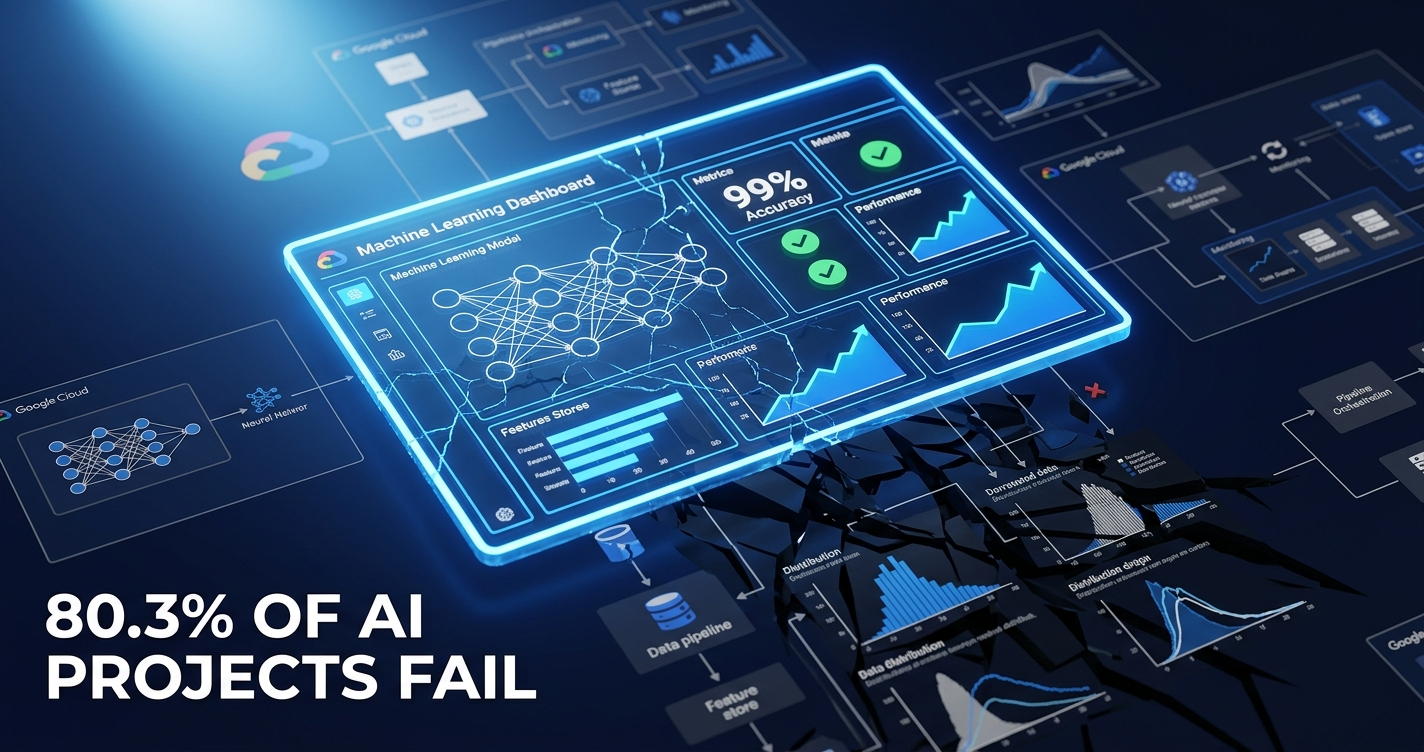
80.3%Enterprise AI projects fail to deliver promised valueRAND, 65-project meta-analysis, 2025
95%GenAI pilots fail to reach production with measurable P&L impactMIT NANDA, 2025
$4.5BGlobal MLOps market value in 2026 growing at ~40% CAGRBusiness Research Insights
The 48-Hour Problem Nobody Warns You About
Here is a situation that thousands of ML engineers have lived through. Your team spends four months building a fraud detection model. The offline metrics are exceptional. Precision, recall, F1 scores that make executives nod in meetings. The A/B test clears every threshold. Stakeholders approve deployment. You push to production on a Friday afternoon with a quiet sense of satisfaction.
By Sunday, the model is silently approving transactions it should be flagging. Not crashing. Not throwing 500 errors. Returning clean HTTP 200 responses, processing at normal latency, looking perfectly healthy to every infrastructure monitor you have. The fraud is real. The model is broken. And nothing in your observability stack told you.
This is not an edge case. It is the defining failure mode of enterprise ML in 2026. Google Cloud’s official MLOps documentation states plainly that “models often break when deployed in the real world.” The company building some of the most sophisticated ML infrastructure on earth felt compelled to put that sentence in their architecture guide. That tells you everything.
The production gap is where most enterprise AI investment evaporates. Not in research. Not in training. In the chasm between a model that aces tests and one that actually delivers business value beyond a few days in production.
Critical Context
The IEEE/ACM CAIN 2026 conference (Rio de Janeiro, April 2026) published a systematic review of MLOps tools and found that the gap between tool specifications and real-world practice remains significant. More tools have not solved the problem. In many cases, they have deepened it.
The Three Failure Mechanisms Killing Production ML
If you strip away all the vendor language and conference keynote abstractions, there are three specific mechanisms responsible for the overwhelming majority of ML production failures. Understanding them precisely is the prerequisite for fixing them.
Mechanism 1: Training-Serving Skew
Training-serving skew is what happens when the data your model encounters in production is computed differently from the data it was trained on. The model learns one representation of reality. Production gives it another. The gap can be invisible for hours or days, then catastrophic.
Common causes are deceptively mundane: a feature preprocessing pipeline that differs between dev and prod environments, a third-party API that changed its response schema, a library version mismatch between training and inference servers, or a timestamp feature computed in UTC during training but in local time during serving. None of these trigger alerts. All of them cause immediate post-deployment degradation, often within 24 to 48 hours of launch.
Airbnb’s experience building its AI search ranking system is the most instructive documented case. When the company scaled from pilot to production, datasets that looked clean in controlled experiments turned out to be sourced from shadow spreadsheets and CRM extractions with consistency problems that only appeared at scale. The result: roughly 40% of the project timeline had to be redirected into data harmonization, delaying the rollout by nearly a year. The model was not the problem. The assumption that training data matched production data was the problem.
Mechanism 2: Data Drift
Where training-serving skew is an immediate post-deployment failure, data drift is the slow bleed. Over weeks or months, the statistical distribution of real-world inputs shifts away from the training distribution. The model’s learned patterns quietly become less accurate. No alarm fires. Prediction quality degrades. The business problem the model was solving gets worse, invisibly.
A fraud detection model trained on 2024 transaction patterns encounters a 2025 world where spending behavior, device fingerprints, and fraud tactics have all evolved. A recommendation engine trained on pre-2025 user preferences serves a post-GPT-era audience whose content consumption patterns have fundamentally changed. The model returns valid outputs with high confidence. The outputs are increasingly wrong.
“Most ML failures in production do not look like dramatic outages. They look like quiet degradation: a fraud model that approves slightly more bad transactions, a classifier that routes slightly more tickets to the wrong queue, a ranking model that slowly erodes conversion. Drift is not rare. If your product changes, users change, competitors change, seasonality exists, or data pipelines evolve, drift is guaranteed.”
AllDaysTech Technical Review, Model Drift Detection, Monitoring and Response Runbook, January 2, 2026
Arize AI’s benchmarks from October 2025 put a number on this: proactive retraining policies outperform reactive updates by 4.2x in maintaining prediction stability. Teams that wait for user complaints to trigger retraining are operating on borrowed time.
Mechanism 3: Pipeline Jungle and Glue-Code Entropy
This is the failure mode that David Sculley and colleagues at Google named definitively in their landmark 2015 NeurIPS paper, “Hidden Technical Debt in Machine Learning Systems.” The paper introduced what they called the CACE Principle: Changing Anything Changes Everything.
The insight is that the actual ML model code is a tiny component inside a massive surrounding system of data pipelines, feature computation logic, preprocessing code, configuration files, monitoring hooks, and orchestration infrastructure. Every one of those components is maintained by different people at different cadences with different conventions. When any piece shifts, the whole system can silently degrade.
In practice, this looks like a data team updating an upstream feature pipeline without notifying the ML team. Or an infrastructure change altering how a feature ratio is computed at serving time. Or a retrained model being pushed to production without verifying that every connected system is still behaving identically. The CACE Principle means that even a change that appears isolated can cascade through a production ML system in ways that are not immediately visible.
The CACE Principle in Action
An e-commerce team retrains a recommendation model on Black Friday data to improve seasonal performance. The retrained model goes to production. A feature interaction changes, causing a cascade that degrades the search ranking model, which was not scheduled for retraining. Both models look healthy in infrastructure monitoring. Conversion drops. The causal connection takes days to surface. This scenario plays out across enterprises every week.
What the Data Actually Shows
The failure rate statistics circulating in 2026 deserve careful handling. Some are rock solid. Others are recycled industry folklore. Here is what the actual evidence supports.
Statistic
Figure
Source and Methodology
Reliability
Enterprise AI projects failing to deliver promised business value
80.3%
RAND Corporation, meta-analysis of 65 documented enterprise AI projects, late 2025. Confirmed by Gartner, April 7, 2026.
High — rigorous methodology, cross-validated
GenAI pilots failing to reach production with measurable P&L impact
95%
MIT NANDA Initiative, 150 exec interviews, 350 employee surveys, 300 public deployments, August 2025.
High — applies specifically to GenAI pilots, not all ML
I&O managers who have experienced at least one complete AI project failure
57%
Gartner, I&O AI projects report, April 7, 2026.
High — Gartner primary research
AI models moving from pilot to production
54%
Gartner via Arcade.dev, November 2025. Most defensible current pilot-to-production estimate.
Medium-High — most current available
ML models never reaching production
87%
VentureBeat, 2019. Widely cited but dated.
Low — 2019 data used in 2026 context. Always caveat this one.
Production models failing due to model drift
91%
Arize AI benchmarks via Articledge.com, February 2026. Limited methodology disclosure.
Low-Medium — treat as directional, verify independently
GE Predix: pilots failed to scale
Up to 95%
Metapress.com analysis, April 2026, citing internal audit data. $4B investment.
Medium — reported figure, not independently audited
Our read: the RAND and Gartner combination is your most defensible citation pair for 2026. The MIT 95% figure is legitimate but scope-specific — it describes GenAI pilots, not classical ML. Use it in that precise context. The VentureBeat 87% figure is 2019 data. Stop presenting it as current reality without contextualizing its age.
What all these figures share, regardless of methodology quality, is directional convergence. The majority of enterprise ML work fails before delivering meaningful ROI. That finding holds even if you cut the estimates in half.
GenAI Made Everything Worse
Classical MLOps was already struggling to handle the production gap when generative AI arrived and introduced an entirely different category of failure modes.
In a traditional ML system, you can monitor input feature distributions, track output accuracy against labeled ground truth, and detect drift using established statistical tests. GenAI systems break all of those assumptions simultaneously.
Databricks published a detailed analysis in January 2026 identifying what they called the hidden technical debt of GenAI systems. Their finding: tool sprawl, prompt stuffing, opaque RAG pipelines, and inadequate feedback systems create failure modes that classical MLOps practices simply are not designed to handle. An enterprise that implements a mature classical MLOps stack will still experience rapid GenAI model failures because the failure categories are categorically different.
The specific new failure modes include prompt version drift (your prompts accumulate business logic over time in ways that create silent behavioral shifts), retrieval quality degradation in RAG systems (chunks retrieved by your vector store become less relevant as your document corpus evolves), embedding drift (the semantic space your embeddings occupy shifts as the underlying model updates), and LLM vendor model updates (your foundation model provider silently updates the base model, changing behavior in ways you never consented to and may not detect).
“The biggest hurdle for executives is mistaking minor productivity gains for true strategic business impact. Enterprises must account for productivity leakage — the share of anticipated efficiency gains from automation that never materializes as increased output.”
Scott Eivers, CEO, Datatonic (ten-time Google Cloud Partner of the Year), January 20, 2026
The ZenML LLMOps database, which tracks 457-plus real-world LLMOps case studies as of July 2025, concluded that the field is still in constant architectural flux. Their assessment: “we don’t seem to be nearing some kind of interim stability point.” Self-healing MLOps for GenAI systems is not a 2026 operational reality. It is a 2028 to 2030 aspiration.
What should you actually monitor for LLM systems? The minimum viable list includes semantic logging (capturing the meaning of inputs and outputs, not just the raw text), retrieval quality metrics for any RAG component, embedding drift detection as a proxy for behavioral drift, and prompt regression testing before any prompt change reaches production. None of these are covered by standard application monitoring.
The Uncomfortable Truth: It’s Not a Tech Problem
Here is where the mainstream MLOps narrative runs into serious trouble. The dominant industry argument is that enterprises need better tooling, more monitoring, more sophisticated pipelines. Buy the feature store. Deploy the model registry. Add the drift detection layer.
The RAND and Gartner data tell a different story. The 80-plus percent failure rate is driven primarily by data ownership disputes, organizational decision-making structure, and scope discipline — not technology gaps. McKinsey’s analysis found organizational resistance cited as a failure cause by 67% of enterprises, lack of clear business case by 52%, and technical complexity by only 28%.
“I deployed 200-plus AI projects in production. 80% of AI projects fail — not because of the technology, but because of organizational chaos, unrealistic expectations, and hidden costs that nobody talks about. The true total cost of ownership is 5 to 10 times your API costs.”
Denis ATLAN, Founder, ENDKOO, 15 years in data and automation engineering, 2025
The tool sprawl problem compounds this. By 2026, many enterprises have accumulated dozens of incompatible MLOps point solutions acquired across multiple budget cycles, owned by different teams, integrated with duct tape and institutional memory. AddWebSolution’s March 2026 analysis documents that organizations have “reached a point of quiet desperation” from managing fragmented AI stacks. The irony: the tooling added to solve the production gap has itself become a failure mode, adding integration complexity faster than it reduces operational risk.
“Platforms solve technical integration problems. The 80 percent failure rate, however, is not driven by technology but by data ownership, decision-making structure, and scope discipline. A platform deployed without these three anchors actually increases risk — because it raises expectations without addressing root causes.”
Analysis of RAND and Gartner data, MyBusinessFuture.com, May 2026
This does not mean technical practices are irrelevant. It means that deploying a sophisticated MLOps stack into an organization without data ownership clarity, without defined retraining governance, and without executive alignment on what “good model performance” actually means will not solve the problem. It will accelerate the illusion that the problem is being solved.
What Mature MLOps Actually Looks Like
Google Cloud’s official MLOps maturity model describes three levels. Most enterprises are operating at Level 0, which means manual processes, no automated retraining, and zero continuous monitoring of model behavior. Google’s documentation describes Level 0 as “common in many businesses.” At Level 0, the question is not whether your model will fail in production. The question is how long before you notice.
The Minimum Viable Production ML Stack
If you’re building this today, the non-negotiable components in order of priority are: a feature store that guarantees identical feature computation between training and serving time, a model registry with version control and rollback capability, input data distribution monitoring using PSI (Population Stability Index), KS tests, or Wasserstein distance, automated retraining triggers based on drift thresholds rather than calendar schedules, and a defined rollback procedure that can be executed in under ten minutes.
That last point is a useful diagnostic. If your team cannot roll back a production model in under ten minutes, you have a critical MLOps gap regardless of how sophisticated everything else is. Fast rollback is not a luxury feature. It is the safety net that makes everything else possible.
Regulatory Reality Check
The EU AI Act is now in active enforcement in 2026. High-risk AI systems require auditability, explainability, and bias documentation. Non-compliance carries fines up to 6% of global annual revenue. A financial services firm discovered 247 production models during a compliance audit with only 89 documented. Under the EU AI Act, each undocumented model in a high-risk application represents direct regulatory exposure. This is not a future concern. It is a current operational risk.
On the Build vs. Buy Decision in 2026
The choice between fragmented best-of-breed tools and integrated platforms has shifted meaningfully this year. Best-of-breed gives you a higher performance ceiling for each individual capability at the cost of significant integration overhead. Integrated platforms give you faster time to a defensible baseline at the cost of some ceiling on individual component performance.
For most mid-to-large enterprises in 2026, the consolidation argument is winning. The integration overhead of managing ten specialized tools has become a talent and operational liability that outweighs the marginal capability gains. The consolidation wave is real. If you are building a new MLOps stack today, the burden of proof now sits on fragmented architectures, not unified ones.
“The model that crushes your offline evaluation will often disappoint you in production. Most teams are not prepared for this. The gap isn’t a model problem — it’s a systems problem: data pipelines, feature stores, monitoring, and retraining loops. Without these, even the best model decays.”
Chip Huyen, Author of “Designing Machine Learning Systems” (O’Reilly, 2022) and “AI Engineering” (O’Reilly, 2025), former NVIDIA and Snorkel AI
The Timeline That Got Us Here
2015
The Paper That Named the Problem
Sculley et al. publish “Hidden Technical Debt in Machine Learning Systems” at NeurIPS. Introduces the CACE Principle. MLOps emerges conceptually from this framework. Still the most-cited reference in 2026 MLOps literature.
2017-19
Scale Reveals the Gap
Enterprise ML deployments scale rapidly. VentureBeat documents 87% failure rate. MLOps crystallizes as a distinct discipline. Tool ecosystem begins to fragment.
2020-22
Tool Sprawl Begins
Explosion of specialized MLOps tooling: MLflow, Kubeflow, Feast, DVC, Weights and Biases, Arize AI, Evidently AI. Each solves a real problem. Together, they create the integration debt problem.
2022-23
GenAI Enters the Stack
ChatGPT triggers mass enterprise GenAI pilots. Classical MLOps stacks are structurally inadequate for LLM failure modes. The surface area for production failure multiplies.
2024
Reality Check Arrives
McKinsey, Gartner, and others begin documenting failure rates rigorously. Airbnb case study demonstrates data harmonization consuming 40% of AI rollout timeline. Training-serving skew and data drift identified as top production killers.
2025
The Evidence Converges
MIT NANDA publishes 95% GenAI pilot failure finding. RAND documents 80.3% enterprise AI failure rate. Arize AI confirms proactive retraining outperforms reactive by 4.2x. MLOps engineer demand surges 35% year-on-year.
2026
Consolidation and Regulation
EU AI Act enforcement begins. MLOps market at $2.3 to $4.5B growing at approximately 40% CAGR. Gartner confirms 57% of I&O managers have experienced full project failure (April 7). CAIN academic conference formalizes failure taxonomy. Enterprises choosing between fragmented and unified stacks at scale.
FAQ: Production ML Failure, Explained
Why do ML models fail in production?
ML models fail in production primarily due to training-serving skew (features computed differently during serving than training), data drift (real-world data distribution shifting over time), and insufficient monitoring pipelines. Unlike software bugs, ML failures are often silent — the model returns valid predictions at HTTP 200 while being increasingly wrong. The majority of production failures trace to these pipeline gaps, not to model quality issues.
What is training-serving skew in machine learning?
Training-serving skew is the performance gap caused by differences between data used to train an ML model and data encountered in production. Common causes include different feature preprocessing pipelines, third-party API schema changes, and library version mismatches between dev and prod environments. It causes immediate post-deployment degradation — often within 24 to 48 hours of launch — and is one of the hardest failure modes to detect without dedicated monitoring.
What percentage of ML models fail in production?
Estimates range from 54% to 90%, depending on how failure is defined and when the research was conducted. Gartner (2025) found only 54% of AI models successfully move from pilot to production. MIT’s 2025 study found 95% of generative AI pilots fail to deliver measurable business value. RAND’s 2025 meta-analysis of 65 projects documented an 80.3% enterprise AI failure rate. The consensus: the majority of enterprise ML work fails before delivering ROI.
What is data drift in machine learning?
Data drift is a gradual shift in the statistical distribution of production input data away from the model’s training distribution. As user behavior, market conditions, or data sources change, the model’s learned patterns become less accurate. Unlike training-serving skew, which causes immediate post-deployment failure, data drift develops over weeks or months. Detection requires continuous statistical monitoring using tools like PSI, KS tests, or Wasserstein distance applied to input feature distributions.
What is MLOps and why does it matter in 2026?
MLOps is the discipline of deploying, monitoring, and maintaining ML models in production reliably. It combines DevOps practices with ML-specific requirements: data versioning, feature stores, model registries, drift monitoring, and automated retraining. Without MLOps, even accurate models degrade within days or weeks as real-world data shifts. The global MLOps market is valued at $2.3 to $4.5B in 2026 and growing at approximately 40% CAGR, driven entirely by the production failure problem.
How do you monitor ML models in production?
Production ML monitoring requires three layers: first, data quality monitoring covering schema drift detection and input distribution tracking using PSI or KS tests; second, model performance monitoring tracking prediction accuracy, confidence calibration, and business KPIs; and third, infrastructure monitoring covering latency, error rates, and resource usage. Standard application monitoring is insufficient — a degrading ML model looks healthy to infrastructure tools while silently failing on business metrics.
What causes ML model degradation over time?
ML model degradation is caused by four primary mechanisms: data drift (real-world input patterns shifting from training data), concept drift (the relationship between inputs and target variable changing, such as evolving fraud patterns), label drift (ground truth definitions shifting), and upstream pipeline changes (feature engineering code quietly diverging between training and serving environments). Proactive monitoring and scheduled retraining reduce degradation risk by 4.2x over reactive approaches, according to Arize AI’s 2025 benchmarks.
Where This Goes in the Next 18 Months
You now understand something that most discussions of enterprise AI failure deliberately obscure: the problem is not model quality. It was never model quality. The models are often excellent. What fails is the system surrounding them — the pipelines, the monitoring, the feature stores, the organizational clarity about who owns production model behavior and what triggers remediation.
The 80-plus percent failure rate in enterprise ML is not a technology problem waiting for better technology. It is a systems problem that requires systems thinking: rigorous data ownership, clearly defined model governance, and the organizational discipline to treat production model health as a first-class operational concern alongside infrastructure uptime.
Here is what to watch across the next 12 to 18 months.
Three Things to Watch (and Act On)
EU AI Act enforcement cases. The first significant fines for inadequate model monitoring will almost certainly surface in financial services or healthcare by late 2026. Those cases will reframe “technical debt” as legal liability in a way that no internal engineering argument ever has. Watch for the first high-profile enforcement action.
The GenAI-specific monitoring tooling race. Classical MLOps tools are not built for LLM failure modes. The next 12 months will see significant tooling innovation specifically targeting semantic monitoring, retrieval quality tracking, and prompt regression testing. Databricks, Arize AI, and new entrants are all moving in this direction. The category does not yet have a clear winner.
Platform consolidation accelerating. Gartner is already tracking enterprises abandoning fragmented best-of-breed stacks for integrated MLOps platforms. By the end of 2027, the market will likely have consolidated around four to five dominant integrated platforms with the specialist tools surviving only in narrow, high-performance niches. If you are making a platform decision now, you are making it near the peak of fragmentation. Integrated wins the operational resilience argument at this maturity level.
If you’re building ML systems today, the most valuable thing you can do in the next two weeks is run a training-serving skew audit on every model currently in production. Check whether your features are computed identically between training and serving environments. Verify your rollback time. Establish input distribution baselines if you have not already. None of that requires buying new tooling. All of it reduces the probability that your next well-trained model silently fails within 48 hours of going live.
Stay Ahead of the MLOps Curve
The Neural Loop covers enterprise AI, MLOps, and the production gap every week. No hype. No vendor content. Just the research that actually matters to practitioners.
Subscribe to The Neural Loop
NeuralWiredLast Updated: June 8, 2026Enterprise Blockchain | ROI Analysis | 2026 Deep Dive
41% of enterprise blockchain implementations achieve positive ROI. That means 59% do not. This is not a technology failure. It is a selection failure. Here is the honest breakdown of what actually works, what spectacularly failed, and what every CTO needs to know before signing a blockchain budget in the next 90 days.
NeuralWired Editorial Team | June 8, 2026 | 18 min read | Enterprise Technology
TL;DR / Executive Summary
41% achieve ROI. 6 use cases dominate. 3 failure patterns explain the rest. The enterprise blockchain market hit $12.77 billion in 2025 and is heading toward $29.29 billion by 2033. But the gains are highly concentrated. Supply chain traceability, cross-border payments, and real-world asset tokenization account for the overwhelming majority of successful deployments. Everything else is mostly noise and write-offs. The companies winning with blockchain in 2026 share exactly one characteristic: they started with a business problem that required multiple distrusting organizations to share data, and then asked whether blockchain was the right tool.
41%of enterprise implementations achieve positive ROISource: CryptoDaily, April 2026
$12.77Benterprise blockchain market value in 2025Source: Autheo, April 2026
$32B+real-world asset tokenization market in 2026Source: MEXC / rwa.xyz, May 2026
25%of Global 2000 firms expected in production by end of 2026Source: Gartner via BDS, April 2026
The State of Enterprise Blockchain in 2026: Boring Is the Point
Eric Piscini, CEO of Hashgraph and a 25-year veteran who has worked at IBM, Deloitte, and Goldman Sachs-aligned firms, offered the most precise description of where blockchain sits today. Speaking to Blockhead.co in February 2026, he said: “2026 is the year of institutional integration, not experimentation. The infrastructure is ready. The regulations are in place. Now we discover which networks were built to last.”
That framing is important because it signals a fundamental shift. The blockchain conversation in 2026 is no longer happening primarily in technology departments. It has moved into boardrooms, CFO offices, and capital markets compliance teams. The reason is not hype. The reason is that the numbers are finally large enough to matter at a strategic level.
The enterprise blockchain market was valued at $12.77 billion in 2025 and is projected to reach $29.29 billion by 2033, growing at a compound annual rate of 10.93% (Autheo, April 2026). The supply chain blockchain sub-market alone, sitting at an estimated $1.17 billion in 2024, is expected to reach $33.25 billion by 2033 at a CAGR of 39.7% (ScienceSoft). In healthcare, the blockchain market was valued at $2.49 billion in 2025 and is projected to grow to $18.94 billion by 2034 at a CAGR of 24.72% (Fortune Business Insights, May 2026).
These are not startup projections. These are numbers backed by named institutional players who are deploying real capital: JPMorgan, BlackRock, Visa, Walmart, De Beers, Standard Chartered. JPMorgan’s Onyx platform alone processes transactions for over 400 institutional clients. BlackRock filed with the SEC in May 2026 for two new tokenized fund structures. Visa launched its Tokenized Asset Platform in partnership with BVNK for cross-border stablecoin settlement.
At the same time, the graveyard has never been more visible. Q1 2026 saw over 20 confirmed blockchain project closures. The 80% first-year failure rate for blockchain startups, reported by CryptoTicker in March 2026, reflects a market that is separating sustainable infrastructure from speculative noise at speed. Understanding which side of that line a deployment sits on is now one of the highest-stakes technology decisions a Global 2000 CTO will make this year.
“2026 is the year of institutional integration, not experimentation. The infrastructure is ready. The regulations are in place. Now we discover which networks were built to last.”
Eric Piscini, CEO, Hashgraph | Blockhead.co, February 2026
Why Do Most Enterprise Blockchain Projects Fail?
The 41% positive ROI figure sounds like a solid majority by technology adoption standards. But it obscures a more uncomfortable truth. That 41% counts any positive ROI, including a $50,000 reconciliation saving on a $1 million implementation. When filtered for deployments that exceeded their cost of capital, which is the financially correct test, the percentage of genuinely successful enterprise blockchain implementations is almost certainly far lower. Nobody publishes that number, and the consulting industry has a structural incentive not to.
The three documented failure patterns, confirmed by AgileSoftLabs across more than 50 enterprise implementation case studies (February 2026), are consistent and predictable.
Failure Pattern 1: Technology First, Problem Second
The most common cause of blockchain project failure is also the most avoidable. Organizations begin with a directive to “explore blockchain” or “run a blockchain pilot” rather than beginning with a specific, measurable operational problem. Without a concrete problem anchoring the effort, the scope expands, the success criteria blur, and the project dies in a budget review 18 months later with nothing to show but a proof-of-concept that never became a product.
Failure Pattern 2: Using Blockchain When a Database Would Work
Blockchain outperforms traditional databases only in specific conditions: when multiple organizations must share data without trusting a single central authority, when immutable audit trails are legally or operationally required, and when transaction volumes stay under approximately 100 TPS. For single-organization use cases, a centralized database is faster, cheaper, and easier to maintain. Every major surviving enterprise blockchain deployment in 2026 involves multiple distrusting parties. This is not a coincidence. It is the defining characteristic of the technology’s actual advantage.
The $300,000 to $1 million implementation cost range cited in practitioner literature for targeted blockchain use cases (Codearies, February 2026) does not include the cost of integrating with existing ERP, CRM, and legacy systems. In practice, for a Global 500 company, integration middleware typically costs two to five times the blockchain platform itself. This is the number that kills projects at the first budget review, because it was never in the original business case. Legacy system integration remains the number one documented failure point in enterprise blockchain, and it is still being systematically underestimated.
Related Coverage: The security dimension of blockchain integration carries its own risks. The Kelp DAO rsETH bridge exploit in May 2026 drained $292 million in 46 minutes from a vulnerability that had been flagged 15 months earlier. Read NeuralWired’s full analysis: Cross-Chain Bridge Security: The $292M DVN Flaw.
The TradeLens Case Study: What the Industry’s Biggest Failure Actually Teaches Us
Any honest analysis of enterprise blockchain in 2026 has to start here. TradeLens was the most important blockchain project in enterprise history, and its November 2022 shutdown remains the most-cited example of what goes wrong.
IBM and Maersk built TradeLens to digitize global trade documentation and supply chain tracking. The two companies represented two of the most credible names in global logistics and enterprise technology. The investment ran into hundreds of millions of dollars. The platform reached production. It was not a pilot. It was a deployed, operating network handling real shipping data.
It shut down anyway. And the reason was not technical.
Competing shipping lines, including some of the largest carriers in the world, refused to share their operational data on a platform controlled by one of their direct competitors. No amount of engineering solves that problem. The blockchain worked. The governance did not.
A peer-reviewed post-mortem published in Frontiers in Blockchain (2025) analyzed the TradeLens failure through the lens of commons theory, examining how a shared resource managed by competing parties collapses when trust cannot be established. The analysis concluded that the fundamental error was designing a multi-stakeholder platform around the interests of a single dominant player. That structural flaw guaranteed failure regardless of the technology’s technical capabilities.
The lesson for 2026 is direct and uncomfortable: every consortium blockchain being built today carries the same governance risk that killed TradeLens. The technology is better. The lesson has not been fully absorbed.
Which Blockchain Use Cases Actually Work in 2026?
The six enterprise blockchain use cases delivering consistent, documented, measurable ROI in 2026 all share one characteristic. They involve multiple organizations that need to share data without trusting a central authority. Remove that requirement from any of these use cases and blockchain is the wrong tool. Keep it, and blockchain becomes genuinely competitive with any alternative.
Use Case 01
Cross-Border Payments and Stablecoin Settlement
This is the clearest, most defensible ROI story in enterprise blockchain. Cross-border payment fees are down 70 to 80% versus traditional correspondent banking channels. Processing times have compressed from two to five business days to three to ten seconds. RippleNet processes $15 billion monthly in cross-border transactions. Blockchain-based cross-border payments have grown at a compound annual rate of 45% over the past decade (CoinLaw, 2025).
The institutional validation is unambiguous. Visa launched its Tokenized Asset Platform in partnership with BVNK specifically for cross-border stablecoin settlement. Bank of America announced plans for its own stablecoin. Ondo Finance executed the first live cross-border tokenized Treasury redemption on the XRP Ledger in May 2026, in a transaction involving JPMorgan, Mastercard, and Ripple simultaneously. The stablecoin market crossed $300 billion in 2025, with September 2025 marking the first month in which stablecoin transaction volume exceeded $1 trillion.
70-80% fee reduction | 3-10 second settlement | $15B/month via RippleNet
Use Case 02
Supply Chain Traceability
Supply chain traceability accounts for 31% of all enterprise blockchain deployments globally, making it the single largest use case by volume (World Economic Forum, 2025). IDC projects supply chain blockchain spending at $3.6 billion for 2026. The operational results from production deployments are concrete: supply chain documentation time has been cut by up to 85%, post-trade reconciliation efforts are down by 60%, and verified deployment data shows a 30% reduction in counterfeit goods for companies running blockchain-backed provenance tracking (Autheo, April 2026; CISIN, 2025-2026).
Walmart’s production blockchain network for food safety traceability can trace the origin of a food product in seconds that previously took days. De Beers runs a production blockchain for diamond provenance that has processed over a million diamonds. These are not pilots. They are operational systems handling daily commercial transactions. The window to gain competitive advantage on supply chain traceability is closing. Gartner projects 25% of Global 2000 companies will be running blockchain in production by end of 2026, up from 11% in 2024.
31% of all deployments | 85% documentation time reduction | $3.6B IDC spend forecast 2026
Use Case 03
Real-World Asset Tokenization
The RWA tokenization market surpassed $32 billion in 2026 (MEXC / rwa.xyz, May 2026). This is now a CFO and board-level conversation, not a technology experiment. BlackRock’s BUIDL fund has been approved as collateral for derivatives trading. In May 2026, BlackRock filed with the SEC for two additional tokenized fund structures. Franklin Templeton runs live tokenized fund products. JPMorgan Onyx handles transactions for over 400 institutional clients via tokenized deposits and processed over $2 trillion in volume in 2025.
McKinsey projects the RWA tokenization market could reach $2 trillion by 2030, which would represent roughly 62x growth from the current base. BCG’s more conservative projection for total tokenized assets across all classes reaches $16 trillion by 2030. Both figures represent enormous capital market transformation. The more conservative BCG scenario is probably more defensible as a planning assumption. Either way, the direction is unambiguous.
$32B market in 2026 | BlackRock, JPMorgan, Franklin Templeton live | McKinsey: $2T by 2030
Use Case 04
Trade Finance Digitization
Trade finance blockchain deployments grew 42% year-over-year in 2025, the fastest growth rate among all enterprise blockchain verticals (BCG, 2024). The reason is directly tied to an enormous and specific problem: the Asian Development Bank estimates a $2.5 trillion global trade finance gap, representing the volume of trade that cannot access financing through traditional channels because documentary processes are too slow, too expensive, and too opaque for smaller counterparties.
Blockchain does not solve all of this. But it compresses the documentary timeline dramatically. The same CISIN analysis that documented 85% documentation time reduction in supply chain found 60% reduction in post-trade reconciliation efforts in trade finance deployments. For companies operating in manufacturing, commodities, and agriculture at global scale, the untapped ROI opportunity here is among the largest in the entire enterprise technology landscape.
42% YoY growth in 2025 | $2.5T addressable gap | 60% reconciliation reduction
Use Case 05
Healthcare Data Exchange
The blockchain in healthcare market was valued at $2.49 billion in 2025 and is projected to grow from $3.24 billion in 2026 to $18.94 billion by 2034, at a CAGR of 24.72% (Fortune Business Insights, May 2026). A peer-reviewed study published in Frontiers in Blockchain in 2026 documented the convergence of blockchain and AI in healthcare as creating the infrastructure layer for genuinely interoperable digital health systems.
The operational deployments are moving beyond pilots. Datavault AI and Wellgistics Health deployed their PharmacyChain technology in March 2026 for secure prescription drug tracking via smart contracts. The use case fits the multi-party trust model precisely: pharmacies, insurers, prescribers, and patients all need to share data about prescription events without any single party controlling the authoritative record. Healthcare’s Byzantine data governance makes it a natural fit for blockchain’s core competency.
$2.49B market (2025) → $18.94B (2034) | 24.72% CAGR | Production deployments: March 2026
Use Case 06
Digital Identity and KYC
Identity verification is 70% faster with blockchain-based systems versus traditional KYC processes (Autheo, April 2026). For financial services firms, insurance companies, and any organization operating across multiple regulatory jurisdictions, KYC costs represent a significant and compressible operational expense. Microsoft ION and uPort are among the established blockchain-based identity frameworks operating at production scale.
The cross-border regulatory compliance use case is particularly compelling in the context of the EU’s MiCA framework, which became operational in 2026, and U.S. stablecoin legislation passed in 2025. Both frameworks create standardized identity verification requirements for digital asset transactions, and blockchain-based identity systems are increasingly positioned as the infrastructure layer for efficient compliance across those requirements.
70% faster identity verification | KYC cost compression | MiCA-aligned deployment
The Key Data Points: Verified Statistics with Methodology
#
Statistic
Source
Date
Confidence
1
41% of enterprise blockchain implementations achieve positive ROI
CryptoDaily
April 2026
Medium (single source)
2
15 to 20% average returns in supply chain and DeFi deployments
Autheo
April 2026
High
3
Cross-border payment fees down 70 to 80% vs. traditional; settlement in 3 to 10 seconds
CoinLaw via MEXC
2025
High
4
RippleNet processes $15 billion monthly in cross-border transactions
CoinLaw via MEXC
2025
High
5
Supply chain documentation time cut by up to 85%; reconciliation efforts down 60%
CISIN
2025-2026
High
6
RWA tokenization market surpassed $32 billion in 2026
MEXC / rwa.xyz
May 2026
High
7
Healthcare blockchain CAGR of 24.72% ($2.49B in 2025 to $18.94B by 2034)
Fortune Business Insights
May 2026
High
8
Global trade finance gap: $2.5 trillion
Asian Development Bank
2024
High
9
Blockchain cross-border payments growing at 45% annually over the past decade
CoinLaw
2025
High
10
Supply chain blockchain spending projected at $3.6 billion for 2026
IDC (2025 forecast)
2025
High
11
Counterfeit goods reduction of 30% via supply chain blockchain
Autheo
April 2026
Medium
12
Identity verification 70% faster with blockchain
Autheo
April 2026
Medium
13
Implementation cost: $300K to $1M for targeted use cases; ROI visible in 12 to 18 months
Codearies / Medium
February 2026
Medium
14
Polygon Layer-2: 7,000+ TPS at $0.01; Arbitrum: 2,000+ TPS
AgileSoftLabs
February 2026
High
Where Blockchain Wastes Millions: The 2026 Graveyard
The first quarter of 2026 produced a wave of documented blockchain failures that the industry needs to take seriously rather than minimize. These are not fringe projects. Several were well-funded, seriously managed organizations with credible teams. Their failure is informative.
Tally (Governance Platform) — March 2026
Tally powered governance votes for more than 500 DAOs including Uniswap, Arbitrum, and ENS. It ceased all operations in mid-March 2026 citing unsustainable costs. The failure was not a technology problem. It was a revenue model problem. Governance infrastructure for decentralized organizations turns out to be extremely difficult to monetize at a level that covers operating costs.
Balancer Labs — March 2026
The original Balancer Labs entity wound down operations in late March 2026, citing legal exposure from past security exploits and a lack of sustainable revenue. The protocol itself may continue under community governance, but the company that built it is gone. Legal liability from smart contract vulnerabilities is an underappreciated existential risk for blockchain project teams.
Archblock — February 2026
Archblock filed for Chapter 11 in early February 2026 with $100 million in liabilities against $10 million in assets. A 10-to-1 liability-to-asset ratio in a filing represents near-total capital destruction. The scale of this failure reflects the leverage dynamics that were built into portions of the blockchain lending ecosystem.
Blockfills — March 15, 2026
Blockfills filed for Chapter 11 on March 15, 2026, amid a liquidity crisis. The timing, following a late 2025 period in which over $20 billion in leverage was wiped out in a single month, suggests the failure was not idiosyncratic but part of a broader liquidity event that claimed multiple counterparties.
GENSO Online (GameFi) — April 30, 2026
GENSO Online shut down completely on April 30, 2026, with server costs running five times revenue. The GameFi model, in which blockchain-based game economies are supposed to generate player-driven token economies, has produced a consistent failure pattern: the economics work during token price appreciation and collapse the moment prices fall. Server cost is a hard floor that token revenue cannot reliably support.
The 80% first-year failure rate for blockchain startups, reported by CryptoTicker in March 2026, should be treated as a reported figure rather than a precisely verified statistic. The underlying pattern is real even if the exact number requires corroboration. The Q1 2026 closure wave is documented and specific.
What the Skeptics Got Right (and Where They Were Wrong)
In 2018, Nouriel Roubini, Professor of Economics at NYU Stern, former advisor to the U.S. Treasury and IMF, and one of the few economists who publicly predicted the 2008 financial crisis, co-authored a column in Project Syndicate calling blockchain “one of the most overhyped technologies ever.” His core argument was that blockchain could not functionally replace financial intermediaries and that most of its claimed applications were either unnecessary or achievable with existing technology.
In 2019, Bill Barhydt, CEO of Abra and a former Goldman Sachs analyst, told Fortune: “People have this fallacy idea that they’re going to make blockchain work inside the firewall. It’s all going to fail miserably. Just like people realized extranet was a waste of time, it was all about the Internet.”
Both of these critiques deserve honest evaluation in the context of 2026 data, because intellectual honesty requires engaging with the best version of the opposing argument.
Roubini’s strongest claim was that blockchain could not replace financial intermediaries. JPMorgan Onyx processing over $2 trillion via tokenized deposits for 400+ clients is a direct and empirical refutation. The intermediary did not disappear, but the settlement infrastructure changed fundamentally. Visa’s stablecoin settlement network is handling real cross-border transaction volume. Standard Chartered’s CEO Bill Winters stated at a 2025 conference that “we’ll eventually see the majority of transactions being settled on the blockchain.” The CEO of a major bank making a production commitment is not the same as a prediction. Roubini’s absolute claim did not hold.
Barhydt’s “blockchain in the firewall” critique, however, proved more accurate than it was given credit for at the time. TradeLens, the largest and most credible enterprise blockchain pilot, built on exactly the inside-the-firewall consortium model he criticized, and it failed for exactly the reasons he described. The permissioned blockchain category has produced real deployments in 2026, but the ones that work are the ones that involve genuine multi-party trust requirements, which is closer to Barhydt’s “Internet” metaphor than the extranet model he criticized.
The most intellectually honest read of 2026 is that the skeptics identified real failure modes, the industry ignored them for years, paid the price in wasted capital, and the survivors are the companies that learned the lessons the skeptics were pointing at.
What Is the ROI of Enterprise Blockchain in 2026? Setting Realistic Expectations
The “300% ROI” figure that has circulated in blockchain marketing materials warrants a specific correction. The Grand View Research projection of 300% ROI for early adopters applies to a base-case scenario in which blockchain captures significant market share of healthcare and logistics by 2035. It is a modeled forecast, not a measured result. The actual achieved ROI for the best current implementations is 15 to 20% in supply chain and DeFi deployments (Autheo, April 2026). Those are meaningfully positive numbers. They are not 300%.
The realistic implementation cost and timeline for a targeted enterprise blockchain use case is $300,000 to $1 million for the platform itself, with an additional 200 to 500% of that figure required for legacy system integration middleware. For a Global 500 company running SAP or Oracle ERP with decades of customization, the integration layer is the dominant cost, not the blockchain. ROI typically becomes measurable within 12 to 18 months for well-defined, targeted use cases. Enterprise-wide systems require longer timelines and larger upfront investment.
The CFO question to ask before any blockchain budget approval is straightforward: does this use case require multiple external organizations to share data without trusting a single central authority? If the answer is no, a database is the right tool. If the answer is yes, blockchain is genuinely competitive, and the 15 to 20% average return in successful deployments is a defensible planning assumption.
Related: The regulatory environment is now providing more clarity for blockchain-based financial instruments. Read our analysis of the latest stablecoin legislation: Stablecoin Yield Rules 2026: The Senate Deal Explained.
The Regulatory Shift That Changed the Calculation in 2025 and 2026
One of the most consequential changes in the enterprise blockchain environment over the past 18 months is not technological. It is regulatory. For the first time in the history of blockchain technology, enterprises in major markets have legal frameworks rather than just technology frameworks to guide their deployment decisions.
The EU’s MiCA framework, now operational in 2026, gives enterprises legal certainty for digital asset operations across the European Union. This means that compliance teams can now give clearer go and no-go signals on blockchain deployments. The legal review timeline, which previously stretched indefinitely because regulators had not established clear rules, has compressed significantly under MiCA.
In the United States, stablecoin legislation passed in 2025 established rules for stablecoin issuance and operation. BaFin-supervised blockchain networks are active in Germany and the EU for capital markets and industrial supply chain applications under GDPR and DSGVO requirements. The regulatory picture is not complete. Cross-border regulatory uncertainty between the U.S. and EU frameworks persists for many asset classes. But the direction is toward clarity, not away from it.
This regulatory shift matters for enterprise decision-making in a specific way: it transfers the blockchain adoption conversation from the technology department to the legal and finance departments. That is a sign of maturity, not a complication. Technologies that CFOs and general counsels can evaluate are technologies that receive capital allocation. Technologies that only CTOs can evaluate remain perpetual experiments.
Is Blockchain Better Than a Traditional Database for Enterprise?
This is the question that should precede every enterprise blockchain evaluation, and it is the question that most organizations skip in the rush to appear innovative.
The answer is no in most circumstances and yes in a specific set of circumstances. Blockchain outperforms a traditional centralized database when three conditions are simultaneously true: multiple separate organizations must share access to the same data; no single organization can be trusted to control the authoritative version of that data; and the integrity of the data needs to be verifiable by all parties without requiring trust in any single party’s assertion.
When these conditions are met, blockchain provides a genuine and durable advantage. When they are not, a well-designed relational database running on modern cloud infrastructure will outperform blockchain on every practical dimension: speed, cost, ease of maintenance, developer availability, and auditability through conventional logging.
The 2026 survival filter has proven this framework precisely. Supply chain traceability across competing suppliers: conditions met, blockchain winning. Cross-border payment settlement across multiple correspondent banks: conditions met, blockchain winning. Internal HR document management: conditions not met, blockchain failed. Internal procurement workflow: conditions not met, blockchain failed.
The decision framework is not ambiguous. It is just frequently ignored.
Three Risk Scenarios That Could Reverse the Progress
An honest analysis of enterprise blockchain in 2026 requires engaging with the specific scenarios that could reverse the institutional momentum that has built over the past 18 months.
A major consortium blockchain, operating in a similar model to the late TradeLens, collapses due to competitive pressure from member organizations. A single high-profile failure of this type in the 2026 to 2027 window could freeze enterprise adoption for two to three years, replicating the TradeLens effect. The governance problem that killed TradeLens has not been solved architecturally. It has been managed more carefully in subsequent consortiums. That is not the same thing.
Scenario B: Security Exploit at Scale (Credible Risk)
The Kelp DAO rsETH bridge exploit of May 2026 drained $292 million in 46 minutes from a vulnerability that had been flagged to the development team 15 months earlier and not remediated. A similar exploit targeting JPMorgan Onyx, a tokenized treasury fund, or a major stablecoin infrastructure provider would trigger immediate regulatory intervention. Enterprise blockchain patch cycles run on quarterly or annual schedules. Smart contract vulnerabilities can be operationalized in hours. That gap is real and it is not closing fast enough.
Scenario C: Regulatory Reversal (Possible but Lower Probability)
MiCA and U.S. stablecoin legislation are not permanent. A major fraud event or financial stability incident involving a tokenized asset could trigger rapid regulatory tightening, particularly in the EU where the political appetite for financial stability intervention is high. The entire RWA tokenization growth thesis depends on continued regulatory permissiveness toward digital asset structures. That permissiveness is currently present. It is not guaranteed.
The Decision Framework Every CTO Needs Before the Next Budget Cycle
Private blockchains led enterprise adoption with 54.22% market share in 2025 (Blockchain Council, March 2026). Hyperledger Fabric powers approximately 80% of permissioned enterprise blockchains (Autheo, April 2026). Ethereum maintains 75% market share in decentralized applications. The platform landscape is not as fragmented as it was in 2019 to 2021. There are now clear leading infrastructure choices.